How to Buy on Papelog
As you know, Papelog is not only for blogging, but also for business.
Anyone can sell things on Papelog, either physical or virtual goods. Click here for article to sell things on Papelog.
If you want to buy things on Papelog, here are the steps:
1. Make sure you have a Papelog account
We limit product orders can only be made by Papelog user. Therefore, please do a register and login first if you haven't.
2. Go to the product detail
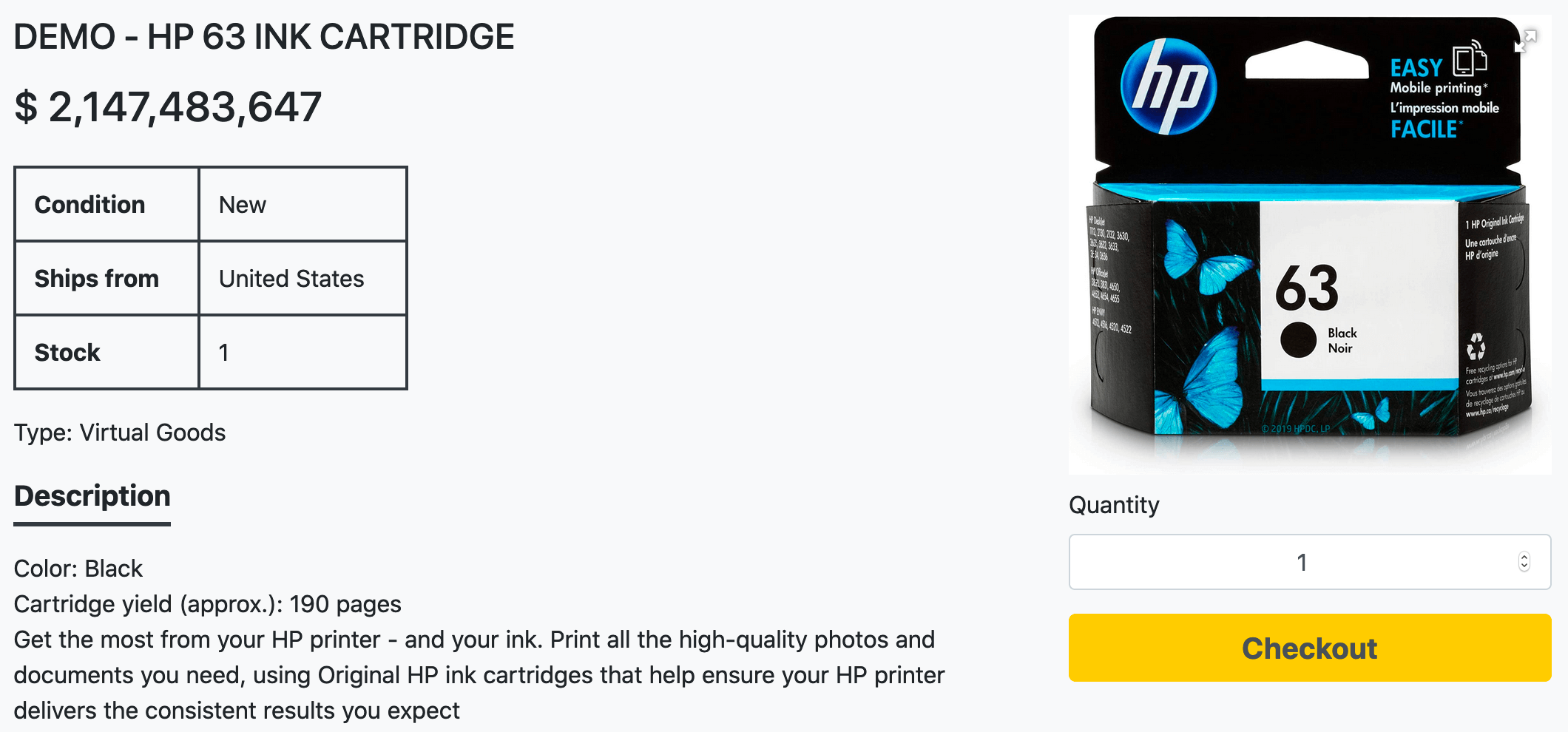
Before checkout, please check and read the description, condition, price, photos, to make sure it's the product you want to buy.
3. Checkout
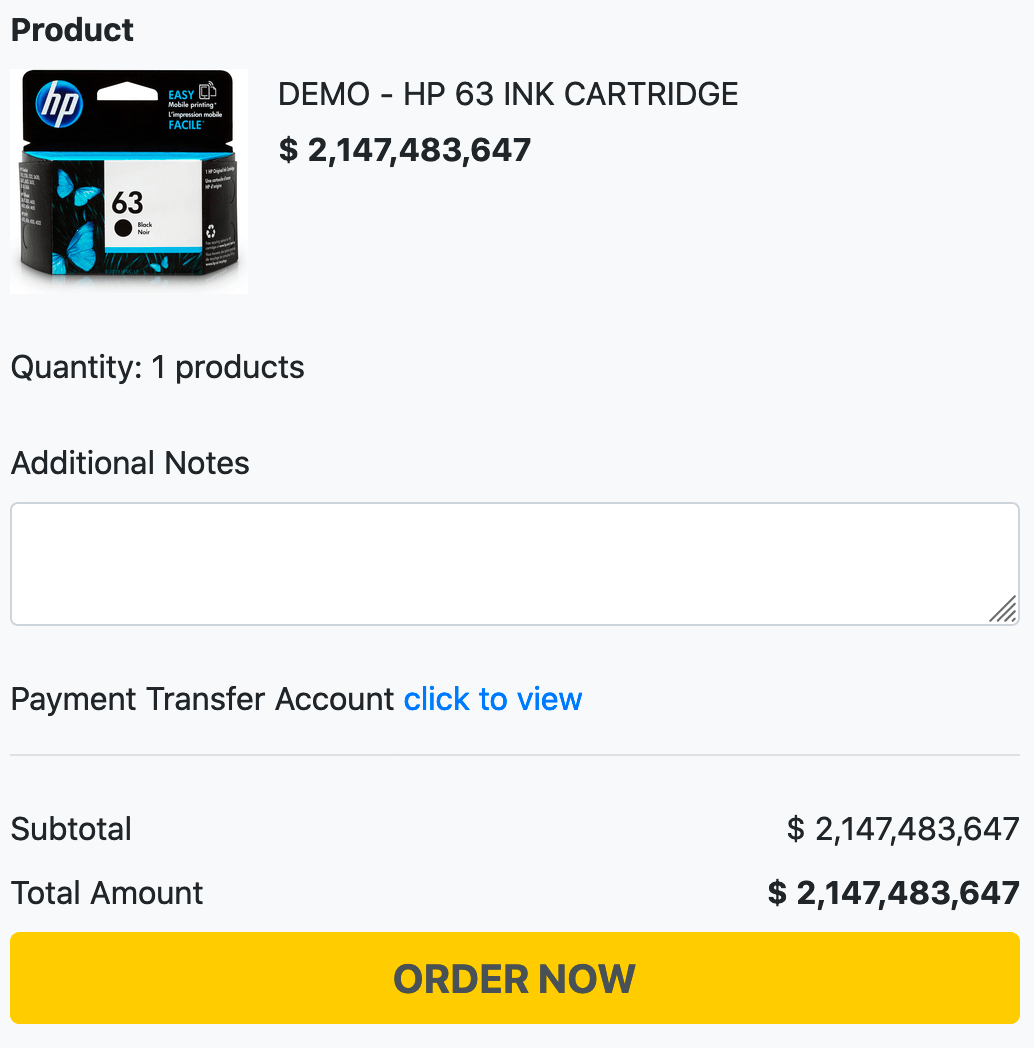
After you set the quantity and checkout, you should see this checkout page.
In this page, you can give additional notes to the seller. You can also see for the payment transfer account of the seller.
Click ORDER NOW if you are sure.
4. Transfer the payment and do a payment confirmation
Until this step, your order has been made, but the status is waiting for payment.
To view all your orders, you can go to this page.
If you want to continue the process, you can transfer the total amount to the seller payment transfer account.
If you want to cancel the order, just click on the Cancel Order button and provide the reason why you cancel the order.
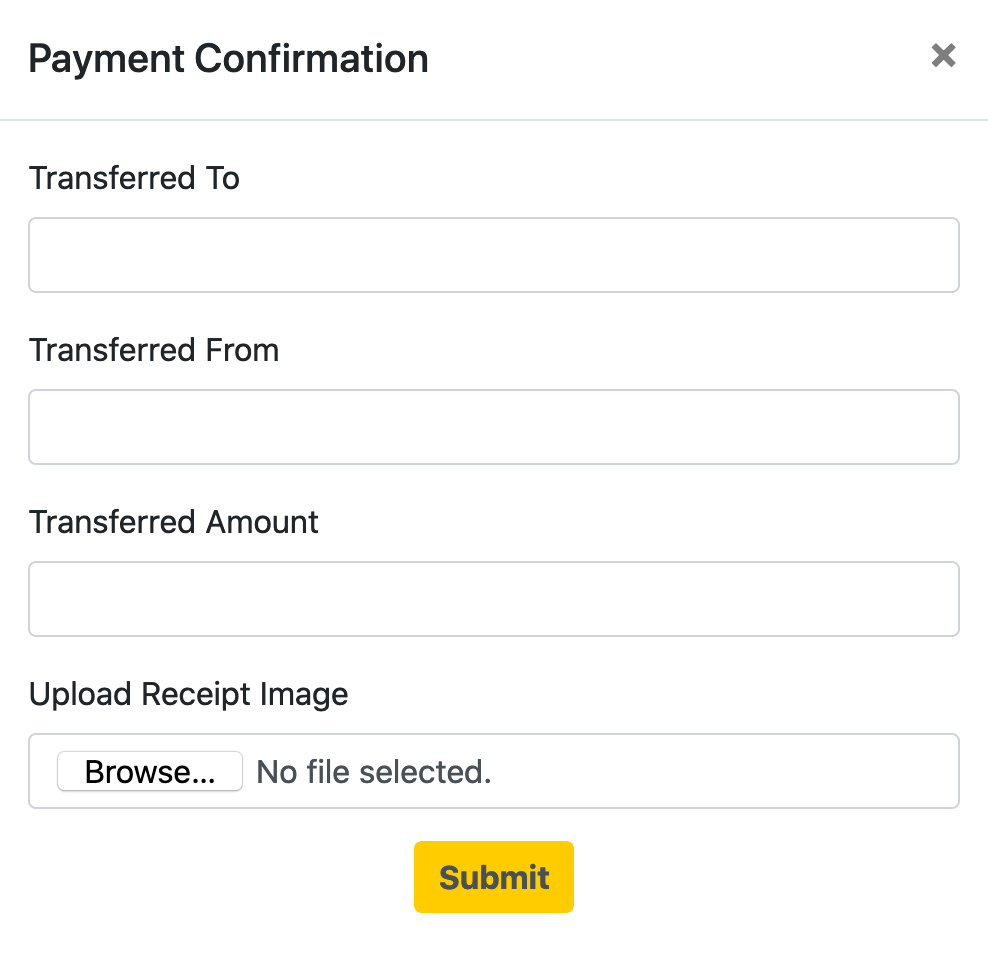
Click Confirm to submit a payment confirmation and tell the seller to process your order.
Yay! Congratulations on your first order!
You just have to wait for the seller to process your order.


.png)
1.jpg)
1.jpg)


1.jpg)