Chrome: Change DNS like a Pro
I know for some people this is like a kids stuff, but for a noob like me, this is a life saver! Especially if you are a Chrome user...
I don't know exactly when this feature is released, but I knew it like a month ago.
Internet provider sometimes blocks websites using DNS, since we automatically use their DNS server, we can't open websites that have been blocked.
There are many solutions to open those websites, but the simplest one is by changing your DNS server provider.
If you want to learn more about DNS server, check out this article.
So, how to change it?
Easy
1. Open settings or chrome://settings/
2. Choose security
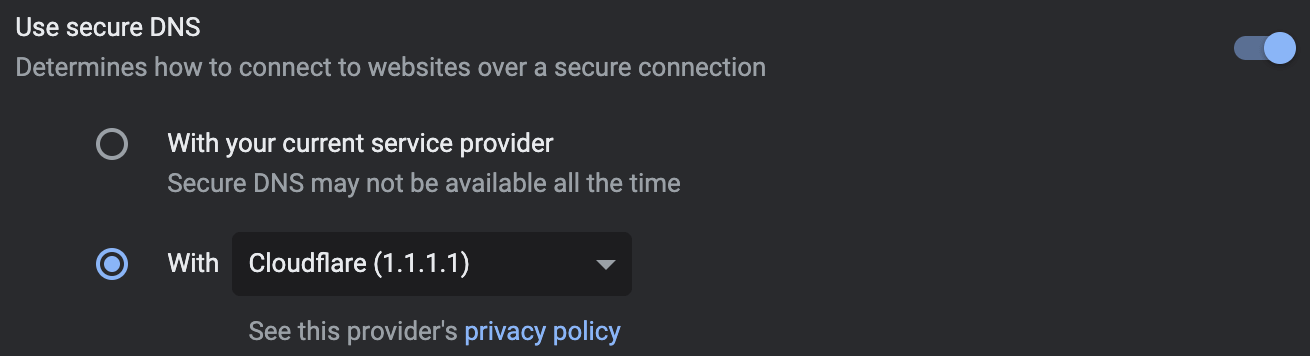
3. Go to advanced section and enable Use secure DNS
4. Choose with and select your desired provider or use custom
Bonus: this feature is also available in Chrome for Android 😲

1.png)


1.jpg)